
Notes in Marvelist have bugged me for a while.
When I first built them, they were basically a task with the checkbox hidden - one plain block of text, a clunky editor, and not much else. It worked, technically. It was never good. Every time I opened a notes list I'd think "I really need to fix this properly" and then go fix something louder instead.
With 2.10, I finally fixed it properly. And whilst I was in there, the Apple Watch app got the overhaul it's been quietly needing for a couple of years too. This is the biggest release Marvelist has had in a while, so here's what's actually in it.
Notes, rebuilt from the ground up
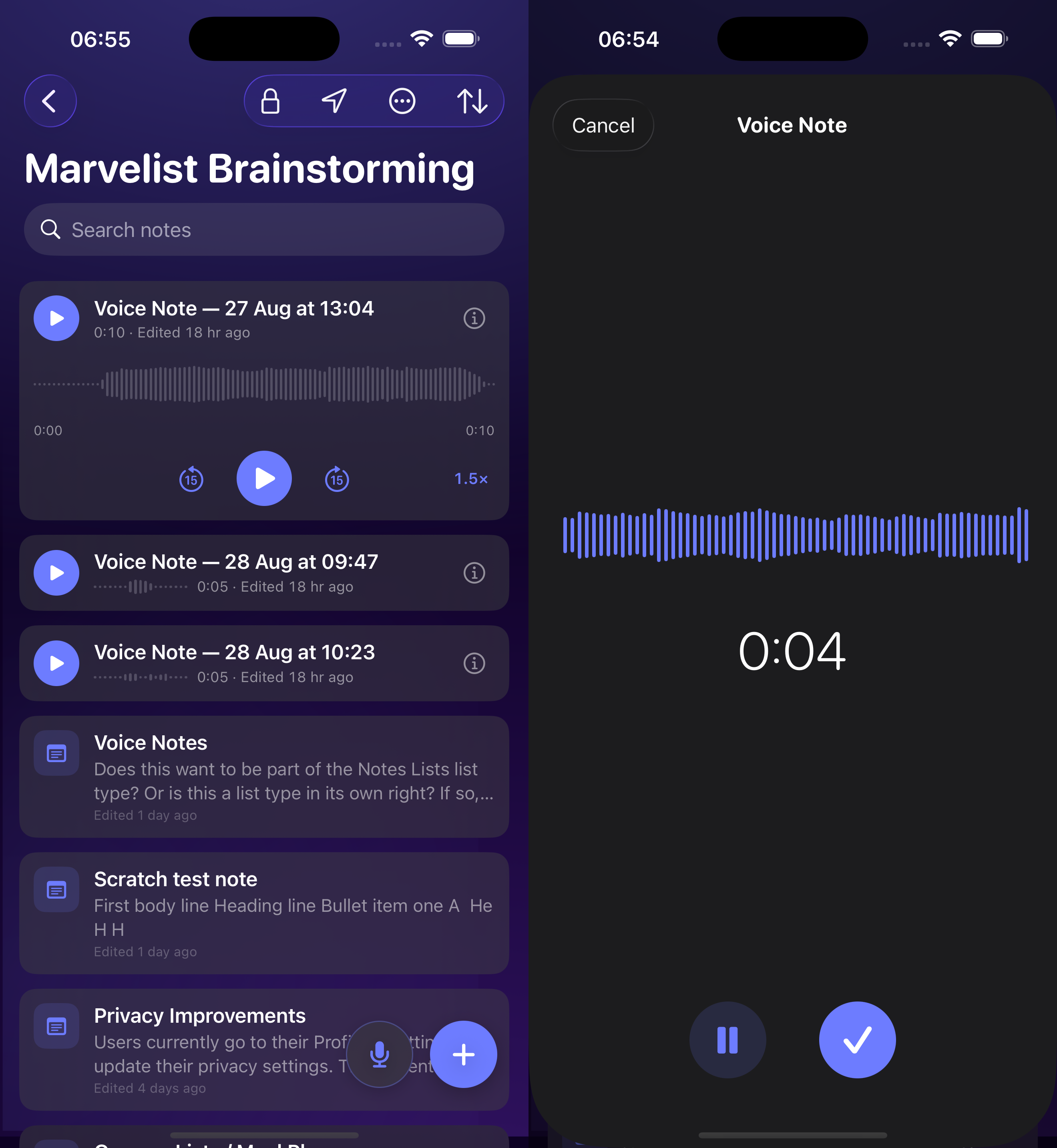
The new notes experience is a real notes app now, not a task in disguise:
- A proper editor - headings, styles, bold/italic/underline/strikethrough, text colour, alignment, and undo/redo that actually works the way you'd expect.
- Checklists, right inside a note.
- Real bulleted, dashed, and numbered lists, with indenting, that carry on automatically as you type.
- Photos inside notes - insert them from your library, tap to view full screen.
- Instant creation - tap once and you're already typing.
- Fast search, pinning, and a 30-day Recently Deleted bin so a slip of the thumb isn't permanent.
It's fully supported on iPhone, iPad and... for the first time... properly in the web app too, at app.marvelist.co.uk. Apple Watch gets read access, including checklists and formatting, which is new in itself (more on that below).
If you've already got notes lists, nothing changes automatically. You'll see an upgrade option on eligible lists whenever you're ready, and it preserves everything - text, formatting, creation dates, the lot. Old bullet points become real bullet lists, and any manually resized text maps to the nearest heading style. Two honest caveats, because I'd rather you hear them from me than find out the hard way:
- It's one way. Once a list is upgraded, there's no switching it back.
- Update everywhere first. An upgraded list won't show up on any device still running an older version of Marvelist, so make sure iPhone, iPad, Watch and web are all current before you upgrade a list you rely on.
Shared notes lists and lists that are already Vault-protected can't be upgraded in this release - that's on the list for later.
Speaking of Vault: notes lists can now be Vault-protected too, encrypted at rest exactly like your protected task lists. The order matters, though - if a list is already Vault-protected, upgrade isn't available for it yet. Upgrade first, then turn on Vault. Vault-protected notes are excluded from search and from the Marvelist AI assistant, same trade-off as everything else in Vault.
The Watch app, redesigned
This one had been sitting untouched for a couple of years, and it showed. The redesign:
- A new Today screen - what's overdue and due today, across every list, in one place. Nothing left? It just tells you: "All clear."
- Smart Lists on your wrist - Important, Scheduled, Assigned, and All, matching iPhone.
- Notes are readable again - they'd become unreachable on Watch in an earlier rewrite, which annoyed me more than it probably annoyed anyone else. Fixed, including checklists and formatting.
- Nicer to actually use day-to-day - tap or swipe to complete, swipe to delete, pull to refresh, dictate a new task straight in.
- Refreshed complications, and a Watch app that stays signed in properly instead of quietly going stale until you reinstall it.
Faster and lighter everywhere
The quieter change: photos and attachments now load server-generated, correctly-sized versions instead of full-resolution originals. It's the kind of thing you don't notice until you're on a slow connection or checking a note on Watch and it just... loads. In testing, a 4MB photos now comes down as roughly 110KB on Watch. Attachments also finally show real thumbnails instead of a generic file icon.
---
If you hit anything odd, or just want to tell me what you think, I'm always reachable! help@marvelist.co.uk.
– Chris

No comments yet