
How I blocked (most) ads on my network with Cloudflare Zero Trust!
I'll run through the policies I've created to block a very large majority of ads through my networks.

It's a pretty shared experience, right? Adverts. We all hate them. No one wants to sit through 30 second videos of adverts, or have random pop ups on websites trying to sell you something.
They're invasive, they're annoying, and I personally don't believe they're the smartest way to drive "sales". You're going to annoy someone into submission? It might work for some, but not for me!
But... ads are getting more sophisticated nowadays. Where it used to be easier to block them, it's becoming more and more difficult. We're having to find new and creative ways to stop these annoyances.
So... with the help of ChatGPT, Copilot and a lot of research, I decided enough was enough. Let's see what we can do to block these little pests.
Overview of my network
So, before we get into things fully, I'm going to breakdown how my network "operates", so you can better understand how it all links together.
I rely heavily on Cloudflare Zero Trust (or Cloudflare One as it seems to want to be known nowadays). Cloudflare One acts as the defensive system between my end user devices, and the internet.
My UniFi Router (Express 7) has DNS over HTTPS configured to point to my custom Cloudflare Zero Trust DNS endpoint, meaning my entire home network is subject to its DNS policies.
I also have a firewall rule on my router to block any port 53 (DNS) requests outbound to the internet. (If you want classic DNS resolution, you have to go through my router).
One other thing to note... all family devices (iPhones, iPads, laptops, desktops, etc.) are all enrolled in my Cloudflare One organisation. Meaning they're subject, again, to the DNS, Network, and HTTP policies I've defined. So, my family also benefits from these protections.
Now... without further ado... my policies!
My configured policies
So, let's talk ad-specific policies. Currently, I have six.
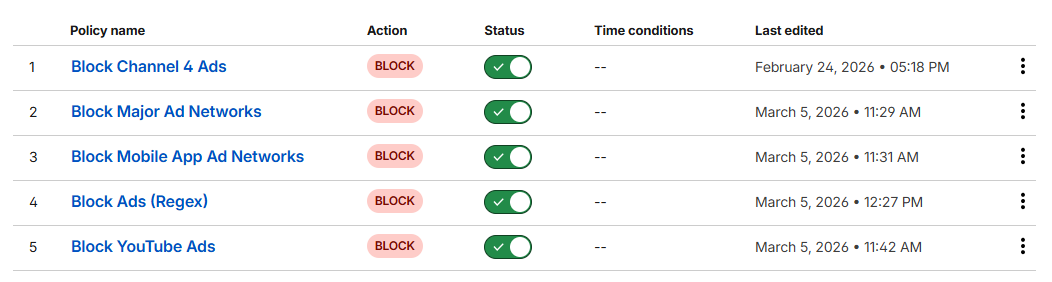
(In order of evaluation)
- Allow Whitelisted Domains (Override Blocks)
- Block Channel 4 Ads
- Block Major Ad Networks
- Block Mobile App Ad Networks
- Block Ads (Regex)
- Block YouTube Ads
Let's run through each one...
Allow Whitelisted Domains (Override Blocks)
This one is fairly self explanatory. I have a list configured called "Whitelisted Domains", within that list is a selection of hostnames that are never blocked. Part of that list includes:
- cloudflareinsights.com
- ajax.googleapis.com
- fonts.googleapis.com
- fonts.gstatic.com
- assets.adobedtm.com
- js.stripe.com
- m.stripe.network
Occasionally, ads are served from these domains. But blocking these domains can cause certain core website functionality to break. Hence, they're whitelisted.
The rule appears at the top of my DNS rule list.
Rule
Domain in list Whitelisted Domains
orHost in list Whitelisted Domains
Action
Allow
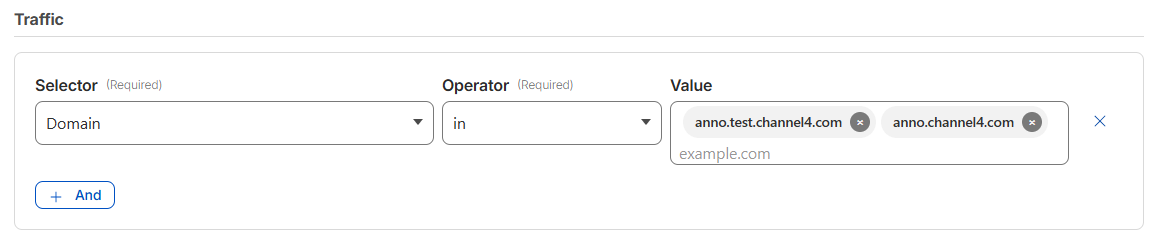
Block Channel 4 Ads
I've had great success with this one. Especially with ads that load "mid episode".
Rule
Domain in anno.test.channel4.com, anno.channel4.com
Block Major Ad Networks
This one is a hard hitter. But... we need another list. I've called this list "Major Ad Networks", and I added the following hostnames.
- doubleclick.net
- googlesyndication.com
- googleadservices.com
- adservice.google.com
- ads.youtube.com
- ads-twitter.com
- adsystem.amazon.com
- adnxs.com
- taboola.com
- outbrain.com
- scorecardresearch.com
- zedo.com
- advertising.com
- quantserve.com
- criteo.com
- pubmatic.com
- rubiconproject.com
- openx.net
Clue's in the name with this name, this is a lot of the most common and major ad networks across the internet. Blocking these, blocks are large portion of the ad network.
Rule
Domain in list Major Ad Networks
orHost in list Major Ad Networks
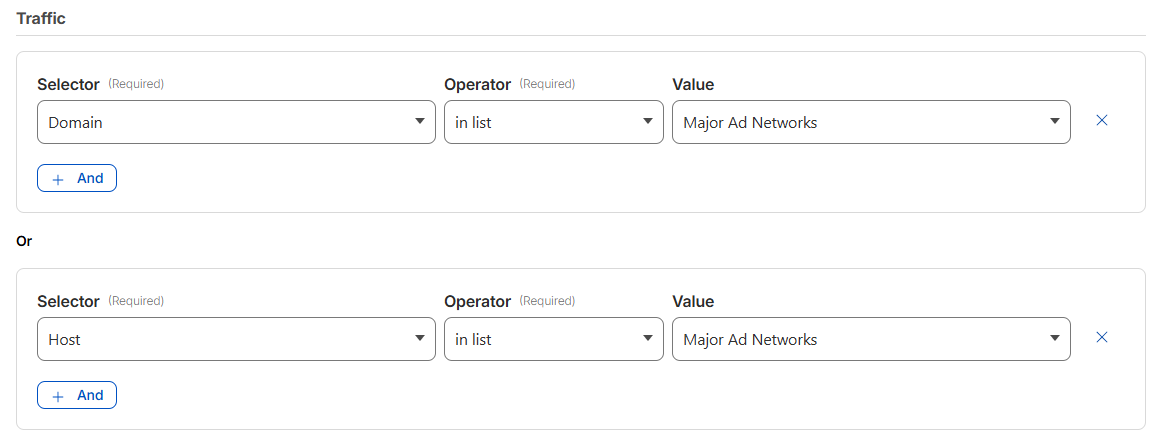
Action
Block
Block Mobile Ad Networks
Very similar to the previous rule, except this one targets adverts most commonly served on mobile apps. Yet again, we need another list. I've called this one "Mobile App Ad Networks".
- unityads.unity3d.com
- chartboost.com
- applovin.com
- vungle.com
- ironsrc.com
- supersonicads.com
Rule
Domain in list Mobile App Ad Networks
orHost in list Mobile App Ad Networks
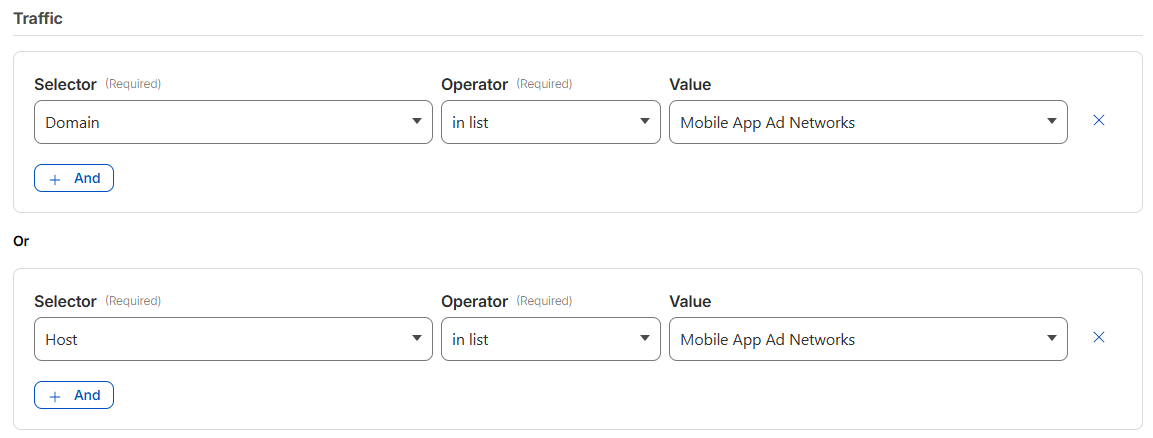
Action
Block
Block Ads (Regex)
This one, is a little chaotic. But serves a very specific purpose. Ad infrastructure loves numbered subdomains... and often operate a massive fleet of these subdomains. So, we need a rule that targets this dynamic list of ad subdomains.
Regex
(^|.)((ads?|adserver|adservice|adtech|tracking|tracker|metrics|pixel|beacon)[0-9-]*)(.)
Just quickly, let's run through the sorts of domains this rule covers.
ads.example.com
ads1.example.com
ads-01.example.com
tracking.company.com
tracking1.company.com
metrics3.service.com
pixel.facebook.com
beacon.site.com
Rule
Host matches regex (^|.)((ads?|adserver|adservice|adtech|tracking|tracker|metrics|pixel|beacon)[0-9-]*)(.)

Action
Block
Block YouTube Ads
This one... is a bit hit and miss. But, I thought it worth leaving it enabled anyway, because it provides some coverage, and is a best attempt at blocking in-video YouTube Ads.
Rule
Host matches regex (^|\.)((adservice|ad|r[0-9]{1,3})\..*\.googlevideo\.com|adservice\.google\.com)(\.)

So, what does this do exactly?
Well, it's common knowledge that Google like to serve ads from the exact same domain as the video content. So they'll serve ads from the likes of youtube.com, googlevideo.com, youtube.googleapis.com, etc. Blocking those would block access to the actual video content... which, is no good.
So, how do we get around that?
Well, YouTube ads are commonly served from subdomains with a specific pattern. The subdomains start with "ad" or "r" (for redirect).
adservice.google.com
r[0-9]+.sn-*.googlevideo.com
So, we cater for that, with the following regex:
(^|\.)((adservice|ad|r[0-9]{1,3})\..*\.googlevideo\.com|adservice\.google\.com)(\.)How does it work?
adservice.google.com-> kills preroll/overlay adsr[0-9]{1,3}.sn-*.googlevideo.com-> blocks regional ad servers dynamically generated by Google(\.)-> ensures we're matching the hostname
But! Important note! As part of deploying this rule, I also added the following domains to my "Whitelist" list, so functionality wasn't broken.
- youtube.com
- ytimg.com
Conclusion
With these 6 rules in place, I've seen a huge decrease in the amount of ads being served across websites and mobile apps within my network! They're proving to be successful, and thought it worth sharing...
Until next time 👋


